Home Assistant
Works with conditions
Reviewed guide
A documented connection is available. Check its equipment, account, firmware and feature requirements.
Home Assistant via Z-Wave JS (US mesh)Getting specifications, connection paths, and resources ready.
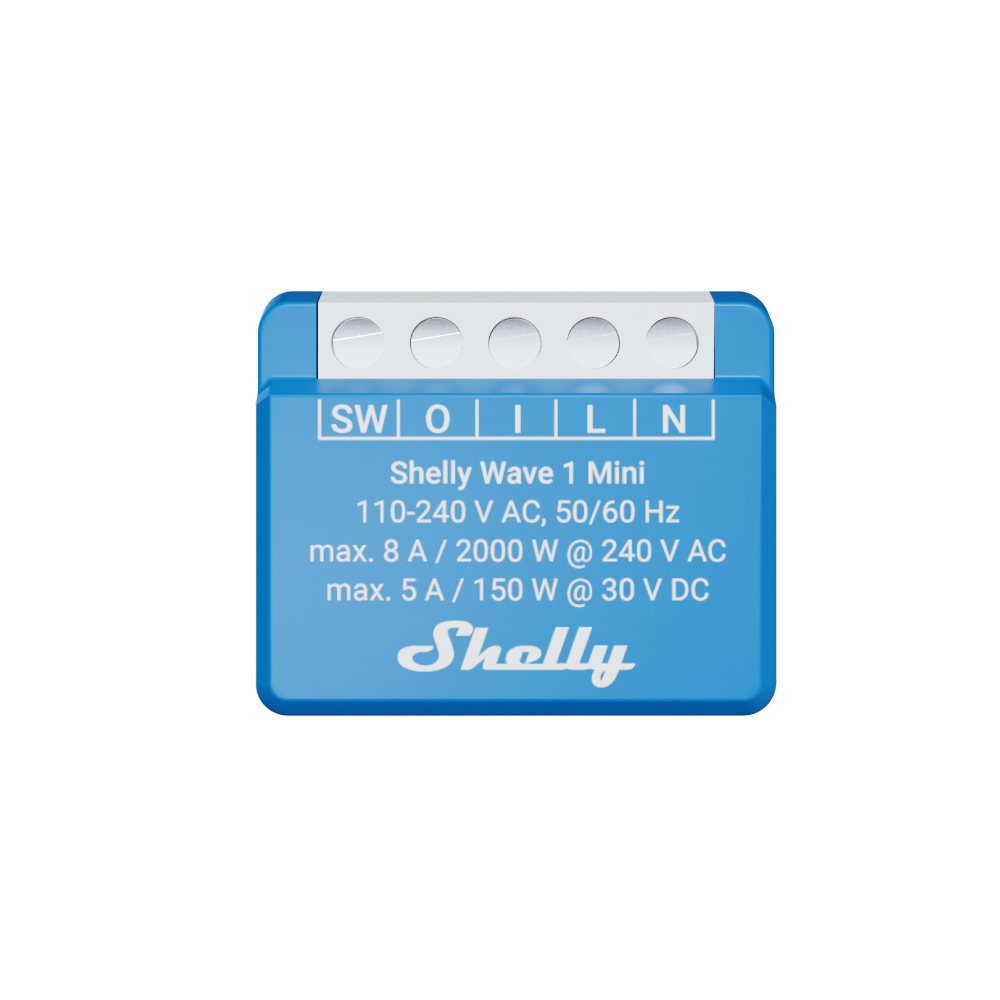
Model: QTSW-0A1X8US
A compact in-wall US Z-Wave relay with potential-free contacts. It requires neutral and a compatible controller. Classic mesh mode can relay other Z-Wave traffic; Long Range uses a separate star connection.
Catalog-level details. Controllers, bridges, accounts, and available features depend on the connection route.
Shelly US (official store). Confirm the exact variant before choosing. Store prices and availability can change; product-information pages are not store offers.
What to know about this device before choosing a connection.
A recommendation is not recorded yet. Compare the requirements below with your home and the capabilities you need.
The manufacturer documents a compact dry-contact relay. Z-Wave schedules or scenes depend on the controller; a device-local scheduler and countdown timer remain unverified. Classic mesh repeating and Long Range star operation are separate inclusion modes. The manufacturer documents a 110–240 V AC, 50/60 Hz device supply and an exact-US OTA firmware resource. Minimum compatible firmware versions, automatic update behavior and applicability to installed firmware remain unverified. The maximum AC contact switching current is 8 A; the separate DC contact limit is 5 A at 30 V DC and does not establish DC device supply. The printed 2000 W at 240 V is not an unqualified wattage rating or a US 120 V load allowance; maximum wattage remains unapproved. Follow the exact unit safety guide and use qualified installation; AC output and DC contact limits are separate from device supply.
Check your ecosystem, then choose a connection method for its requirements and available controls.
A listed ecosystem is a starting point. Connection methods and exposed capabilities must be checked for the exact variant.
Reviewed guide
A documented connection is available. Check its equipment, account, firmware and feature requirements.
Home Assistant via Z-Wave JS (US mesh)No verified evidence yet
Compatibility has not been established for this exact model. This does not mean it is incompatible.
No verified evidence yet
Compatibility has not been established for this exact model. This does not mean it is incompatible.
No verified evidence yet
Compatibility has not been established for this exact model. This does not mean it is incompatible.
No verified evidence yet
Compatibility has not been established for this exact model. This does not mean it is incompatible.
No verified evidence yet
Compatibility has not been established for this exact model. This does not mean it is incompatible.
No verified evidence yet
Compatibility has not been established for this exact model. This does not mean it is incompatible.
Missing documentation does not mean a device is incompatible. Reviewed documentation is not a physical hardware test.
Basic controls on the reviewed connection. Setup, remote access, voice services and firmware updates have separate requirements.
QTSW-0A1X8US · US · Documentation reviewed. Check the unit’s hardware and firmware before setup.
Documented controls may have firmware or configuration conditions. Read the guide before relying on a feature.
Open setup guideInstallation & device requirements · Manuals & resources · All connection details
Choose a documented method. Requirements, controls, local/cloud behavior, and evidence stay attached to that route.
Home Assistant · US · QTSW-0A1X8US
Documentation reviewed · 10/18/2026. Not tested on physical hardware.
Shelly Wave 1 Mini US LR
US Z-Wave adapter
Z-Wave JS server
To Home Assistant
Home Assistant
Complete the required items before setup. Items marked “Not required” are optional for this route.
Documented
Shelly Wave 1 Mini US LR · QTSW-0A1X8US · US variant.
Derived from documentation
Use mesh inclusion and matching US radio settings. This guide excludes Long Range inclusion.
Documented
A working Home Assistant installation is required.
Derived from documentation
Use a supported Z-Wave adapter configured for the device’s US region.
Documented
Run a Z-Wave JS server and connect Home Assistant’s built-in Z-Wave integration to it.
Documented
Follow the linked Home Assistant setup for your installation type; check the adapter’s region and wait for the server to start.
Documented
Start Add device in Home Assistant. Follow this model’s inclusion instructions and select Mesh if prompted. Retain the device’s security key label.
Derived from documentation
Wait for the device interview, then check on/off control and state changes before relying on an automation.
Documented
Shelly’s exact-device compatibility table reports support in Home Assistant. Individual entity names and tested software versions are not supplied.
Documented
Shelly’s exact-device compatibility table reports support in Home Assistant. Individual entity names and tested software versions are not supplied.
Not yet verified
Power readings has not been established by this bounded source check.
Not yet verified
Energy readings has not been established by this bounded source check.
Documented
The exact-model Technical Specifications lists Z-Wave repeater Yes under Mesh network. The device supports classic mesh and LR star as separate inclusion modes.
Derived from documentation
Initial software installation may need downloads. Device inclusion uses the local radio network; a fully offline initial install was not verified.
Documented
Commands and state updates use the local Z-Wave network and Home Assistant host.
Documented
Configure Home Assistant remote access separately; its cloud or VPN option has additional requirements.
Derived from documentation
Local entities can participate in host automations. External triggers or actions add their own dependencies.
Documented
Exact-model US firmware is listed by the manufacturer for OTA updates. Follow the vendor changelog and gateway instructions; an automatic update path or minimum compatible version has not been established.
Not yet verified
Minimum software versions has not been established by this bounded source check.
Documented
repeater
The exact-model Technical Specifications lists Z-Wave repeater Yes under Mesh network. The device supports classic mesh and LR star as separate inclusion modes.
Documented
mesh
The exact-model Technical Specifications lists Z-Wave repeater Yes under Mesh network. The device supports classic mesh and LR star as separate inclusion modes.
Not yet verified
Exact-model evidence has not established this answer.
Documented
https://github.com/QubinoHelp/Shelly_Wave_FW_OTA
Manufacturer-linked exact-model US firmware files are available in this repository. Check the model, region and vendor changelog before updating; settings can reset. This is device firmware, not Home Assistant integration code.
Documented
The Z-Wave integration is maintained by Home Assistant. Manufacturer test results are reported separately from this documentation review.
Derived from documentation
Additional radio and server setup is needed. Wiring work and software configuration are separate tasks.
Shelly · manufacturer · Checked 2026-10-09
Exact-model identity, mesh support, inclusion instructions and manufacturer-reported Home Assistant capabilities.
Source location: Device identification; network topology; Compatibility / Home Assistant; Command Classes
Home Assistant · platform · Checked 2026-10-09
Describes the adapter, server, integration and local network requirements.
Source location: Getting started; regional radio settings; adding devices; integration class
Home Assistant · platform · Checked 2026-10-09
Documents separately configured remote access.
Source location: Remote access options
Home Assistant · platform · Checked 2026-10-09
Explains the components of an automation.
Source location: Triggers, conditions and actions
Shelly · manufacturer · Checked 2026-10-09
The exact-model Technical Specifications lists Z-Wave repeater Yes under Mesh network. The device supports classic mesh and LR star as separate inclusion modes.
Source location: Device identification; Main features; Technical Specifications / classic network
Compare the documented support source and effort for each route. Official/community support and local/cloud operation are separate questions.
The Z-Wave integration is maintained by Home Assistant. Manufacturer test results are reported separately from this documentation review.
Check status & evidenceAdditional radio and server setup is needed. Wiring work and software configuration are separate tasks.
Check status & evidenceSee how it can help your network and which other connection functions it offers. Each answer applies to its documented protocol and operating mode.
✓ Mesh repeater
Helps relay classic Z-Wave traffic for other devices when operating in this mode.
The exact-model Technical Specifications lists Z-Wave repeater Yes under Mesh network. The device supports classic mesh and LR star as separate inclusion modes.
The exact-model Technical Specifications lists Z-Wave repeater Yes under Mesh network. The device supports classic mesh and LR star as separate inclusion modes.
The exact-model Technical Specifications lists Z-Wave repeater Yes under Mesh network. The device supports classic mesh and LR star as separate inclusion modes.
Exact-model evidence has not established this answer.
Documentation reviewed. Not tested on physical hardware.
Direct to controller
Uses Z-Wave Long Range star topology. It does not repeat traffic on the classic Z-Wave mesh.
The exact-model Technical Specifications lists Z-Wave repeater No under Long range network. The device supports classic mesh and LR star as separate inclusion modes.
The exact-model Technical Specifications lists Z-Wave repeater No under Long range network. The device supports classic mesh and LR star as separate inclusion modes.
The exact-model Technical Specifications lists Z-Wave repeater No under Long range network. The device supports classic mesh and LR star as separate inclusion modes.
Exact-model evidence has not established this answer.
Documentation reviewed. Not tested on physical hardware.
Choose a connection method for its app, account and controller requirements. An app used by one method is not necessarily required for every connection.
Device supply is 110–240 V AC, 50/60 Hz, with neutral required for AC operation. The 8 A limit is the maximum AC contact switching current for one output. The separate DC contact limit is 5 A at 30 V DC, not DC device supply; DC powering is not approved by this profile. The printed 2000 W at 240 V is not an unqualified wattage rating or a US 120 V load allowance; no wattage scalar is approved. Follow the exact unit safety guide and use qualified installation. These limits do not establish suitability for every motor/LED load or independent safety certification.
Open the exact manufacturer manualControllers for the reviewed connections are listed below. These requirements do not apply automatically to other setup methods.
Open connection instructions Find manuals and installation diagramsSetup and software downloads have separate requirements from everyday local control. A completely offline setup has not been established by these summaries.
Requirements apply to this setup method.
Initial software installation may need downloads. Device inclusion uses the local radio network; a fully offline initial install was not verified.
Check evidenceA working Home Assistant installation is required.
Check evidenceRun a Z-Wave JS server and connect Home Assistant’s built-in Z-Wave integration to it.
Check evidenceThe documented local radio route uses Home Assistant and Z-Wave JS; it does not pass through Shelly Cloud.
Check evidenceUse a supported Z-Wave adapter configured for the device’s US region.
Check evidenceExpand a group to see all recorded attributes. Electrical maxima depend on load type; check operating and installation limits in the exact model documentation. Route-specific feature availability can differ. Missing fields are not a confirmed “No.”
Readings available to your smart-home system depend on the connection. Check readings by connection
Check the model, region, hardware revision, and document version. Connection-specific sources are linked in each guide.
Shelly Wave 1 Mini · QTSW-0A1X8US · Archive started 2026-09-26. Individual additions may be newer. These files open from Dwelleno.
Original manufacturer pageNeutral is required for the 110–240 V AC device supply. A compatible Z-Wave hub is required for configuration; Long Range needs a compatible hub. The dry-contact output can switch a separate AC or DC load; DC load switching does not mean DC device power.
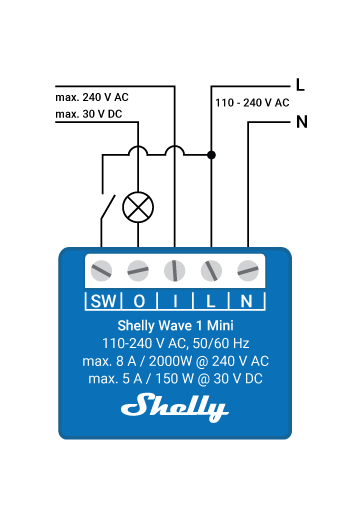
Original manufacturer files, including its safety instructions. Diagrams may show different AC and DC configurations; check the exact model and supply type.
Reviewed documentation, catalog records, and manufacturer observations have different scopes. A source for one capability does not establish every feature.
Connection guides preserve source dates, publishers, review status, and claim-level links. “Documentation reviewed” does not mean tested on physical hardware.
Documentation reviewed Oct 18, 2026 · QTSW-0A1X8US · US
Other active devices in this category. Their connection requirements and capabilities may differ.
MINIR4 · In-Wall Relay Modules
ZBMINIL2 · In-Wall Relay Modules
Not required
The documented local radio route uses Home Assistant and Z-Wave JS; it does not pass through Shelly Cloud.
Documented
Start with a correctly installed and powered relay. Mains wiring is outside this connection guide; follow the model’s installation instructions.
Shelly · manufacturer · Checked 2026-10-09
Manufacturer firmware catalog links exact-model US OTA files hosted in its GitHub repository. Files were not downloaded or installed.
Source location: Exact model code in US firmware file links
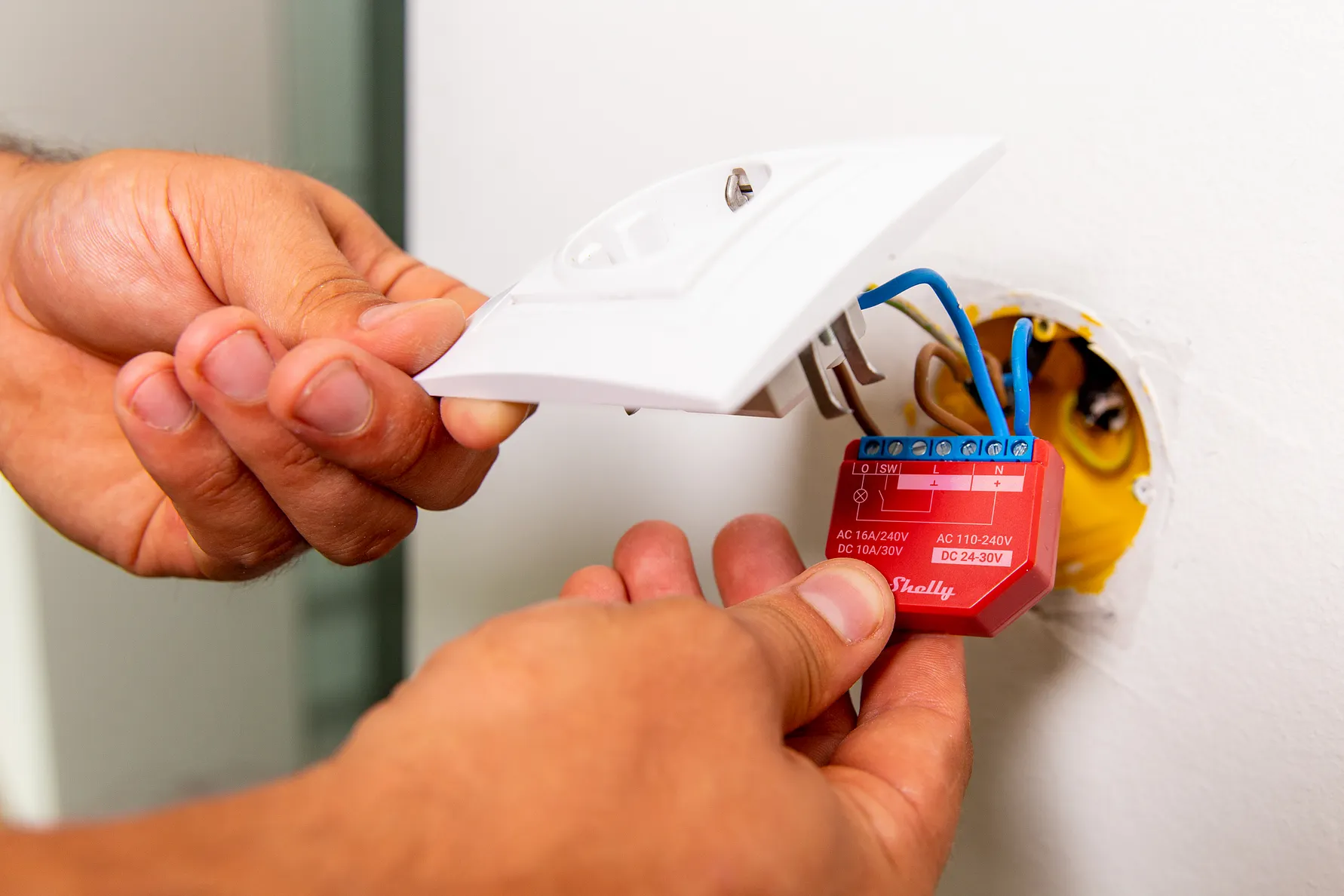
Shelly Plus 1PM, EU/non-UL press photographPhoto: Vibrant Frame / Shelly, via D/P Communications & Media.
SNSW-001P16EU · In-Wall Relay Modules
Compact Wi-Fi switch module with power measurement. Exact model SNSW-001P16EU (Shelly Plus 1PM).
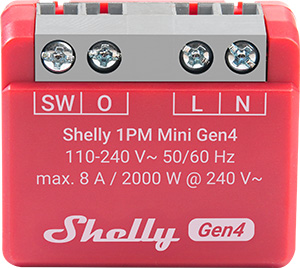
S4SW-001P8EU · In-Wall Relay Modules
Reviewed guides: Home Assistant →
A compact in-wall relay with power measurement and local Wi-Fi control. It requires neutral and supports Matter or a selectable Zigbee profile. Home Assistant readings depend on the connection path and firmware.
Shelly USA (official store)
WAVE1 · In-Wall Relay Modules