
Kasa (TP-Link)
Smart Plug with Energy Monitoring (Matter)
KP125M
Wi-FiMatter
Kasa Wi-Fi smart plug with manufacturer-documented Matter and Kasa-app energy monitoring; this reviewed guide covers the local TP-Link integration.
Discover connected devices and understand how they work with your home—from the everyday essentials to advanced integrations.
Need a hand choosing? Try the switch finderA more connected home
starts with the right devices.
Use the switch and relay finder to narrow down a choice for your setup. For plugs, start with reviewed browsing.
Try the switch finderFind your exact model, then open its guide for equipment, steps and supported controls.
Browse reviewed connectionsSee how devices, networks, controllers and integrations fit together.
Understand connection pathsControl the lights you already have.
73 catalog devicesAdd control behind the switch.
18 catalog devicesMake an everyday device connected.
36 catalog devicesKnow when something changes.
2 catalog devicesKeep an eye on your home.
1 catalog deviceConnect more of everyday life.
Explore categoryA growing catalog for the whole connected home. Coverage currently starts with switches, relays, and plugs.
Start with the platform you use. Then check the exact device and connection route.
Explore devices with published, model-specific US connection guides.
Kasa (TP-Link)
KP125M
Kasa Wi-Fi smart plug with manufacturer-documented Matter and Kasa-app energy monitoring; this reviewed guide covers the local TP-Link integration.
Kasa (TP-Link)
KS240
Kasa Wi-Fi ceiling-fan control and light dimmer for compatible AC fans and a neutral-required single-pole circuit.
Kasa (TP-Link)
KP115
Kasa Wi-Fi plug with energy monitoring in the Kasa app; US electrical ratings are documented separately from other regions.
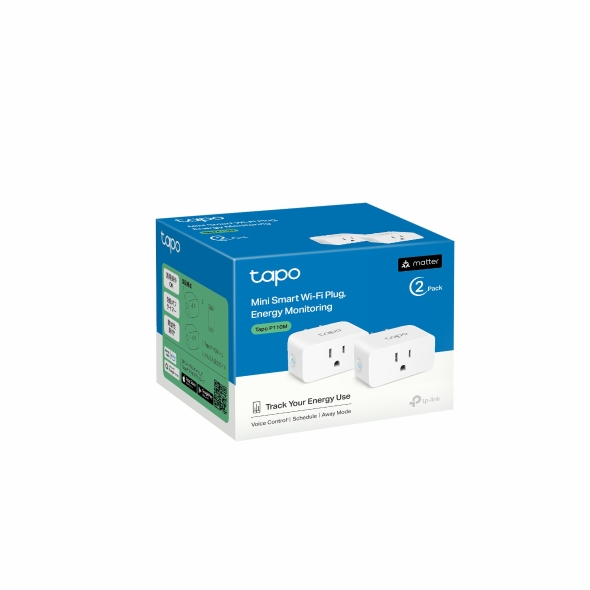
Tapo (TP-Link)
P110M
A Tapo Matter-over-Wi-Fi plug with documented energy monitoring. Connection requirements and exposed readings depend on the selected ecosystem, hardware and firmware.
Documentation reviewed; hardware testing and current availability are separate. Check each guide’s requirements and limitations. Explore the full catalog →
A compatibility logo is only the beginning. Get the context behind the connection.
Find ecosystem listings and check what is documented for the exact model.
See how a device connects, including the hubs, controllers, or integrations along the way.
Understand the equipment, accounts, and setup steps recorded for each route.
Check operating dependencies, missing features, and what still needs verification.
Start with what you need and the setup you already have. Our guided finder helps you choose wall switches, dimmers and relay modules. For plugs, browse reviewed devices.
Understand the essentials, then find device manuals and connection instructions where they’re available.
Explore Home Assistant connection methods, hardware requirements, local and cloud behavior, and documented limitations.
Clear about what’s known. Honest about what isn’t. Reviewed routes link to their sources. Missing evidence stays visible and does not become a compatibility promise.